
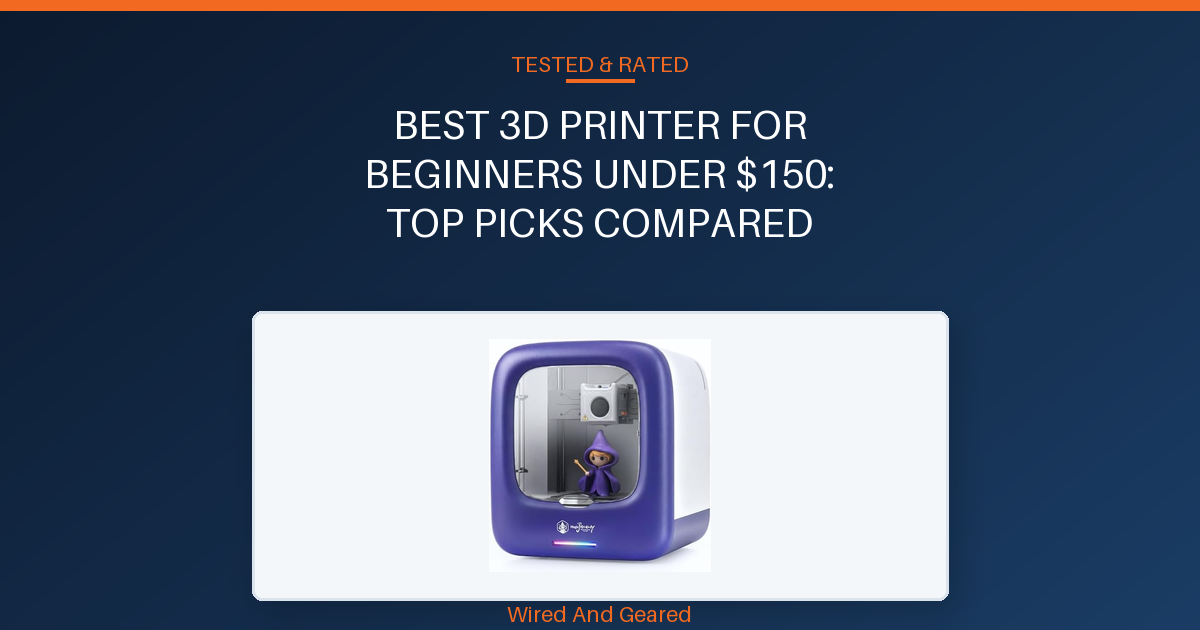
Choosing a 3D printer under $150 means accepting some trade-offs, but the right model can make learning smooth and frustration-free. This guide is for absolute beginners, parents, and educators who want a safe, easy introduction to 3D printing without technical headaches.
Every printer listed here is truly beginner-friendly, with setup times under 30 minutes and project support built in. All picks handle basic PLA prints reliably, but only the top models offer instant project libraries and guided learning.
If you want to print small toys, creative models, or simple classroom projects, focus on convenience and safety over raw specs. For anyone curious about resin printing, one affordable resin option is included, but it’s best suited for adults due to handling requirements.
Read each verdict for who should skip or buy. The comparison and buying guide sections cover what actually matters for first-time users: setup, safety, support, print quality, and reliability.
Our overall best pick: 3D Printer for Kids, AI-Powered, →
| Product | Build Volume | Filament Compatibility | Assembly | Print Speed | |
|---|---|---|---|---|---|
| 3D Printer for Kids, AI-Powered, | Not specified (miniature-focused) | PLA only | Fully assembled | Up to 400mm/s | See on Amazon |
| 3D Printer for Kids and Beginners | 100x110x100mm | PLA, TPU | Fully assembled | Up to 250mm/s | See on Amazon |
| Portable 3D Printer – Compact FDM 3D Printer with Removable | 100x100x100mm | PLA, TPU | Partial assembly required | Not specified | See on Amazon |
| Creality 3D Printer HALOT R6 Resin 3D Printers:Upgraded | Not specified (compact, mini body) | Resin only | Fully assembled | Not specified | See on Amazon |
| MALYAN M320 Mini 3D Printer for Kids and Beginners – Fully | 150x150x150mm | PLA, PETG | Fully assembled | Not specified | See on Amazon |
3D Printer for Kids, AI-Powered,
Setup is genuinely instant, with no assembly or manual calibration required. The fully enclosed chamber and cool-touch exterior keep hot components out of reach, so young children can operate it independently.
Built-in WiFi and a magnetic build plate streamline print removal and daily use. The app, available on iOS, Android, and Windows, connects quickly and offers over 8,000 toy models plus creative AI features that turn doodles and photos into printable objects.
Printing is fast, with speeds up to 400mm/s for small models, and most projects finish in 1-3 hours. The built-in camera lets kids and parents monitor prints remotely, and time-lapse videos show each creation taking shape.
Parents consistently praise the intuitive app and large model library, noting that even a 10-year-old can start printing within minutes. The quiet operation makes it practical for home use, and the filament is always non-toxic PLA.
The main drawback is limited STL import support, some users struggle to print outside the model library, and guidance for custom imports is lacking. Advanced users may find the controls restrictive, and the small build area means it’s focused on toys and miniatures.
Skip this if you want open-format printing or need larger build volumes.
Strengths
- Fully enclosed, child-safe design
- No assembly, ready to print out of the box
- Intuitive AI-powered app with 8,000+ models
- Fast printing up to 400mm/s
- Quiet operation
- Remote monitoring with built-in camera
Trade-offs
- Limited STL import support
- Small build volume for miniatures only
- Controls may frustrate advanced users
3D Printer for Kids and Beginners
This printer comes fully assembled and ready to run, eliminating the tricky setup that often frustrates newcomers. The direct-drive extruder with a 1:5 gear ratio handles both PLA and TPU filaments smoothly, making it possible to print flexible objects with better accuracy.
The 2.4-inch color LCD and one-button filament loading simplify operation for kids and adults alike, especially in school settings or at home for craft projects. Auto-leveling technology and a removable magnetic build plate address common beginner pain points like uneven prints and difficult model removal.
The print area of 3.94×4.33×3.94 inches suits small toys, figurines, and learning projects, while the heated platform reduces warping and increases print reliability. Plug-and-play TF card support allows quick model uploads without complicated software setup, and a high-brightness light improves visibility during printing.
With a 50W hot-end and up to 250mm/s print speeds, models finish quickly compared to slower entry-level printers. The strong warranty and lifetime tech support are reassuring for parents and teachers.
However, the small build area limits larger projects, and advanced users may want more customization or filament capacity. Skip this if you need frequent large prints or advanced slicer control.
Strengths
- Fully assembled and ready out of the box
- Auto-leveling for precise prints
- Direct-drive extruder handles PLA and TPU
- Removable magnetic build plate for easy removal
- Fast printing up to 250mm/s
- Simple knob operation and color LCD
Trade-offs
- Small build volume restricts bigger projects
- Limited filament capacity (default 0.5kg)
- Basic controls may frustrate advanced users
Portable 3D Printer – Compact FDM 3D Printer with Removable
This printer appeals to buyers needing a compact, easily portable machine for small prints and basic learning. The modular setup with video guides makes initial assembly straightforward for most, and the included accessories (10m PLA filament, TF card, tools) cover the basics for getting started.
The removable build plate simplifies print removal and cleaning, and its small footprint fits well in tight spaces. For simple toys and decor under 4 inches, print results can be decent, as noted by several reviewers running the printer for days without major issues.
However, recurring complaints cite significant print failures, especially with TPU filament, which can ruin the print bed. Axis wobble is a persistent issue due to the extruder rail only being mounted on one end, resulting in bouncing and rocking that distorts prints and limits reliability.
Broken parts out of the box and inconsistent performance are reported, making it a risky choice for anyone expecting dependable output. The build volume is very small, and the lack of dual rail mounting compromises stability.
Anyone who wants reliable results or plans to print flexible filaments regularly should skip this, as quality control and print consistency are weak.
Strengths
- Compact and lightweight for travel
- Simple modular assembly with video guides
- Removable build plate for easy model removal
- Includes basic accessories for immediate use
- Compatible with PLA and TPU
Trade-offs
- Axis wobble causes distorted prints
- Unstable with TPU, bed damage reported
- Broken parts and setup difficulties common
Creality 3D Printer HALOT R6 Resin 3D Printers:Upgraded
This resin printer is designed for novices, featuring a built-in guidance system that walks users through setup and printing with zero assembly required. Its compact size and lightweight alloy shell allow easy placement on a desk or in a small workspace, and the enclosed design keeps the resin process contained and safe.
The 2K monochrome LCD screen delivers professional-level detail, and the integrated light source cures each layer evenly for precise models. Optimized platform flatness and a single-line guide with anti-backlash nut reduce Z-axis vibration, resulting in stable, high-quality output.
Beginners benefit from the HALOT BOX software, which offers parameter presets and one-click slicing to simplify print preparation. Remote monitoring and time-lapse features become accessible by adding a webcam through the USB port, letting users watch prints from anywhere.
The small build volume limits project size, and resin printing requires careful handling and post-processing, which may not suit young children or busy classrooms. Skip this if you need a larger FDM printer or want to avoid resin cleanup and safety concerns.
Strengths
- Zero assembly required, true plug-and-play
- Integrated guidance system for first-time users
- High-precision output with 2K LCD screen
- Compact, space-saving alloy shell
- Remote monitoring and time-lapse capable
Trade-offs
- Small build volume restricts larger objects
- Resin handling and post-processing required
- Not suitable for young kids or classrooms
MALYAN M320 Mini 3D Printer for Kids and Beginners – Fully
This printer arrives fully assembled and factory-calibrated, allowing beginners and kids to start printing immediately without complex setup. The compact build volume (150x150x150mm) accommodates daily creative projects, miniatures, and classroom learning.
The intuitive touchscreen makes operation straightforward, and the magnetic removable build plate simplifies model removal without tools. Prints adhere well during operation, and the metal frame keeps the unit stable on most desktops.
Several successful setups for children and family use are reported, with easy-to-follow instructions and quick start times. However, recurring issues include random shifting or skipping during print jobs, which can ruin outputs unpredictably.
Failed prints and bed shakes are noted by owners, especially with larger projects or after several months of use. Tech support is inconsistent and often unhelpful, with buyers experiencing confusion around slicer software compatibility and replacement parts.
The build volume is small, and manual bed leveling is required, which can frustrate users expecting more automation. Skip this if you want a large build area, reliable long-term performance, or strong after-sales support.
Strengths
- Fully assembled and ready to use
- Magnetic removable build plate
- Intuitive touchscreen controls
- Stable metal frame
- Supports PLA and PETG filaments
Trade-offs
- Random bed shakes cause print failures
- Small build volume
- Poor tech support and unclear software setup
01Setup and ease of use
For a true beginner, setup should take less than 30 minutes, with clear instructions and little manual calibration. Avoid printers that require assembling parts or manual leveling, as this adds complexity and risk of poor prints. Pre-assembled models with auto-leveling and guided software are best.
02Safety features
Safety matters most for children and classroom use. Look for enclosed print areas, minimal exposed hot parts, and automatic shutdown in case of errors. Skip printers with open frames or unclear safety protocols, especially if kids will use them.
03Print reliability
Consistent print quality and easy removal are key. Printers with shaky axis or random bed movement can ruin prints and frustrate new users. Choose models with stable beds, reliable auto-leveling, and easy-to-remove prints to minimize failed projects.
04Creative project support
A library of ready-made projects and simple software helps beginners start printing quickly. AI-powered tools or built-in templates make learning fun and reduce the need for external design skills. Avoid printers that require users to source or design their own files from scratch.
05Technical support and troubleshooting
Beginners need accessible support, either strong documentation or responsive online help. Lack of technical support can leave users stranded if something goes wrong. Choose brands with active support channels or clear troubleshooting guides.