
Choosing the right enclosure for your external hard drive affects performance, data safety, and daily convenience. Whether you need to rescue data, expand storage, or rotate drives for backups, a dependable enclosure makes the process smooth.
This guide is for anyone upgrading old drives, assembling a DIY backup, or looking for reliable external storage. The options here cover single-drive setups, high-capacity needs, and RAID configurations.
Every enclosure listed supports USB 3.0 for fast transfers and works with standard SATA drives. Pay close attention to compatibility and features before buying, especially if you need RAID, tool-free access, or support for both 2.5 and 3.5-inch drives.
The comparison table and buying guide below break down which enclosure suits each use case, so you can skip the guesswork and choose the right model for your workflow.
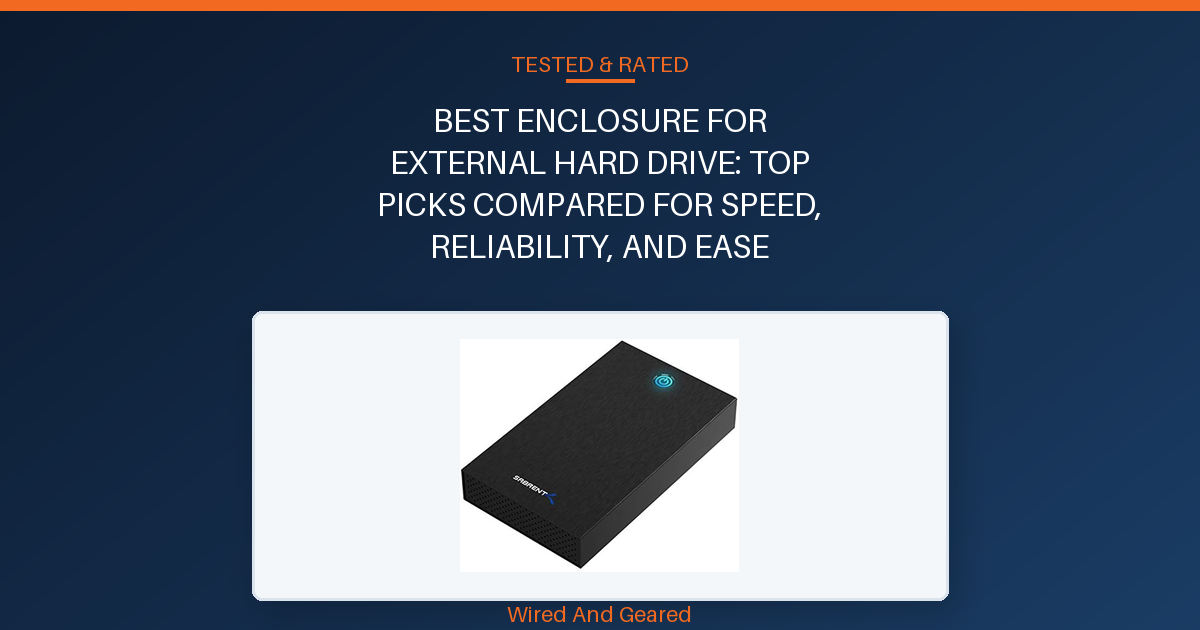
TL;DR: The SABRENT EC-KSL3 is the best enclosure for external hard drive thanks to its fast transfer speeds, universal SATA support, and tool-free design. The UGREEN enclosure is the runner-up, offering exceptional reliability and versatility for frequent drive swaps and 24/7 operation.
Our overall best pick: SABRENT USB 3.0 Hard Drive Enclosure →
- SABRENT USB 3.0 Hard Drive EnclosureSee on Amazon →
- SABRENT 2.5in SATA to USB 3.0 Tool-Free SSD/HDD EnclosureSee on Amazon →
- ORICO USB 3.0 External Hard Drive Enclosure for 3.5/2.5 InchSee on Amazon →
| Product | Drive Compatibility | Max Capacity | Interface | Power | |
|---|---|---|---|---|---|
| SABRENT USB 3.0 Hard Drive Enclosure | 2.5in/3.5in SATA HDD/SSD | 28TB | USB 3.0 Type-A (UASP) | External 12V/2A adapter | See on Amazon |
| SABRENT 2.5in SATA to USB 3.0 Tool-Free SSD/HDD Enclosure | 2.5in SATA HDD/SSD | 2TB (typical, not specified for 20TB+) | USB 3.0 Type-A (UASP) | Bus-powered via USB | See on Amazon |
| ORICO USB 3.0 External Hard Drive Enclosure for 3.5/2.5 Inch | 2.5in/3.5in SATA HDD/SSD | 20TB | USB 3.0 Type-A (UASP) | External 12V/2A adapter | See on Amazon |
| ORICO 4 Bay Raid Hard Drive Enclosure Support 8 RAID Modes | 3.5in SATA HDD | 88TB (22TB x4) | USB 3.0 Type-A | Internal 150W supply | See on Amazon |
| UGREEN External Hard Drive Enclosure for 2.5/3.5-Inch SATA | 2.5in/3.5in SATA HDD/SSD | 20TB | USB 3.0 Type-A (UASP) | External 12V adapter | See on Amazon |
SABRENT USB 3.0 Hard Drive Enclosure
Installation takes less than two minutes, thanks to its slide-and-click tool-free design. The brushed aluminum shell feels solid, and the internal ABS tray absorbs shocks.
It supports both 2.5in and 3.5in SATA drives, including high-capacity options up to 28TB, though some extra-large 3.5in drives may not fit perfectly, check physical dimensions before buying. The enclosure runs reliably on Windows, macOS, and Linux, and includes a visible activity light and power switch for easy monitoring.
Transfer speeds are consistent with USB 3.0 expectations: typical HDDs hit 100-180 MB/s, SSDs reach up to 400-500 MB/s. Large file backups and drive transfers work without issue, including nine-hour 3TB transfers and smooth recognition of old NAS drives.
Heat dissipation is effective, though the plastic tray may get warm, and the case lacks rubber feet for stability on surfaces. The enclosure requires external power, so it’s not suited for bus-powered setups.
Recurring complaints include confusion over plug types, as some units ship with EU plugs and support is limited. S.M.A.R.T.
Drive health diagnostics are not available, and the enclosure does not support non-SATA drives like M.2 or SAS. Skip this if you need advanced diagnostics, NVMe/M.2 support, or bus-powered convenience.
Strengths
- Tool-free installation saves time
- Aluminum shell helps dissipate heat
- Supports up to 28TB SATA drives
- Consistent transfer speeds for HDD and SSD
- Works with Windows, macOS, and Linux
- Visible activity/power light
Trade-offs
- Does not support NVMe, M.2, SAS, or IDE drives
- Plastic tray may run warm
- No rubber feet, can slide on surfaces
- Plug type confusion (EU/US)
SABRENT 2.5in SATA to USB 3.0 Tool-Free SSD/HDD Enclosure
This enclosure excels at turning old 2.5in laptop drives into plug-and-play external storage with zero tools required. The case snaps shut securely, holds the drive tight, and includes a strong USB cable that avoids dangling or loose connections.
The blue activity LED and power switch are reliably visible, and installation consistently takes under five minutes. Transfer speeds are on par with USB 3.0, peaking near 400-450 MB/s for SSDs and 100-130 MB/s for HDDs.
Older drives from laptops, even those over 15 years old, work without issue, and cloning or backup procedures finish smoothly within an hour. The enclosure works across Windows and Mac OS without drivers, and the lightweight build doesn’t sacrifice durability.
Hot-swapping is smooth for regular backups and upgrades. The main drawback is occasional difficulty opening the case, especially for first-time users.
It’s limited to 2.5in SATA drives, no 3.5in support, NVMe, or advanced diagnostics. Skip this if you need larger drive compatibility or want a case that doubles as a desktop enclosure.
Strengths
- Quick, tool-free installation
- Secure fit for 2.5in SATA drives
- USB 3.0 speeds, UASP support
- Works with old and new laptop drives
- Lightweight yet solid build
- Hot-swappable, plug-and-play
Trade-offs
- Case can be tricky to open
- Only fits 2.5in SATA drives
- No advanced diagnostics or cooling
ORICO USB 3.0 External Hard Drive Enclosure for 3.5/2.5 Inch
Setup is genuinely tool-free, with drive swaps taking less than five minutes. It accepts both 2.5in and 3.5in SATA HDDs up to 20TB, with USB 3.0 speeds reaching 80-120 MB/s on typical HDDs and faster on SSDs.
The enclosure runs cool thanks to foam padding and heat-resistant ABS plastic, and includes auto sleep to protect drive life. The build is drop-proof but lightweight, and the LED status indicator is prominent on top.
The enclosure works well for long backups and heavy use, staying stable even during nine-hour 3TB transfers and 24/7 operation. Drives are recognized instantly in Windows and Mac OS, and the case fits WD, Seagate, and Toshiba drives without issues.
However, the drive can wiggle slightly inside, as there is no locking mechanism beyond foam pads. The auto sleep feature spins down the drive after inactivity, which is great for backups but may be inconvenient for gaming consoles or NAS setups.
Complaints center on the loose fit and lack of screws or clamps, and slower load times compared to aluminum enclosures. The enclosure is not suited for NVMe, M.2, or drives with non-standard connectors.
Skip this if you need a tight, locked fit for frequent swapping or want drive activity to stay on for NAS/gaming applications.
Strengths
- Tool-free installation in minutes
- Supports up to 20TB SATA drives
- Runs cool, auto sleep extends drive life
- Drop-proof ABS build
- Consistent USB 3.0 speeds
- Works with Windows, Mac, Linux
Trade-offs
- Drive can wiggle inside
- Auto sleep may interrupt continuous use
- No locking mechanism for drive
ORICO 4 Bay Raid Hard Drive Enclosure Support 8 RAID Modes
This enclosure handles up to four 3.5in SATA drives, with a single disk capacity of 22TB and total storage up to 88TB. RAID modes are hardware-configurable via DIP switches, supporting RAID 0, 1, 3, 5, 10, JBOD, CLONE, and CLEAR.
Setup is straightforward, requiring only a DIP switch adjustment and a single reset button press. Once configured, the enclosure delivers reliable USB 3.0 speeds, up to 235 MB/s, suitable for video editing, backup, and engineering workflows.
The aluminum body and 80mm cooling fan keep the drives cool even during sustained heavy use. The trayless design makes swapping drives quick, and the independent safety lock prevents accidental ejection.
It is compatible with Windows, Mac, and Linux, and works well for both RAID and JBOD modes. Users report stable performance with RAID 10 and JBOD, and the enclosure stays quiet even with all bays filled.
The main flaws are the quality of the bay door latches, one or more may fail to catch, and this issue appears across multiple units. Using RAID options will reinitialize drives, so transferring existing drives into RAID mode will erase data.
USB 3.0 speed is good, but not as fast as Thunderbolt or USB 3.2. Skip this if you need flawless mechanical reliability or plan to swap drives frequently.
Strengths
- Supports up to 88TB across four drives
- Eight hardware RAID modes
- Aluminum build with effective cooling fan
- Trayless, quick swap design
- Compatible with Windows, Mac, Linux
- Independent safety lock for each drive
Trade-offs
- Bay door latches prone to failure
- RAID setup reinitializes drives (data loss risk)
- USB 3.0 speed limits for multi-drive use
UGREEN External Hard Drive Enclosure for 2.5/3.5-Inch SATA
Installation is genuinely fast, drives slot in and are ready to use in under ten seconds, with no tools or drivers needed. The enclosure supports both 2.5in and 3.5in SATA HDDs/SSDs up to 20TB, and works across Windows, Linux, and MacOS.
Transfer speeds are excellent for USB 3.0, with UASP protocol delivering up to 70 percent faster transfers than older USB standards. The build feels light but sturdy, with rubber strips for shock protection and preset vent holes for heat dissipation.
The enclosure handles continuous operation well, with one user running it days at a time without overheating or disconnecting. Computers recognize the drive instantly, no disk management or extra steps required.
Auto spin-down occurs after five minutes of inactivity, which saves drive life but may interrupt gaming or NAS use. The enclosure reliably connects to desktops, laptops, and gaming consoles, and works with both standard and high-capacity drives from all major brands.
Drawbacks include the slightly cheap feel of the plastic shell and the spin-down feature, which can be inconvenient for gaming or NAS scenarios. No S.M.A.R.T.
Diagnostics or advanced cooling. Skip this if you need continuous drive activity or want a metal enclosure for heavy-duty use.
Strengths
- Fits both 2.5in and 3.5in SATA drives up to 20TB
- Fast, tool-free installation
- Excellent USB 3.0 speeds with UASP
- Shock protection and good heat dissipation
- Plug-and-play for Windows, Mac, Linux, consoles
- Stable for 24/7 operation
Trade-offs
- Plastic shell feels less premium
- Auto spin-down interrupts continuous use
- No advanced diagnostics
01Drive size compatibility
Check whether the enclosure supports 2.5-inch, 3.5-inch, or both drive sizes. Many enclosures only fit one size, so confirm your hard drive matches before buying. It’s easy to overlook this and end up with an enclosure that won’t physically fit your drive.
02Connection interface
USB 3.0 is the current standard for speed and convenience, while USB-C and Thunderbolt are faster but less common in budget models. Make sure your computer and the enclosure use the same port, or you’ll lose performance. Avoid outdated USB 2.0 enclosures unless you’re only transferring small files.
03Tool-free access
A tool-free enclosure lets you swap drives quickly without screws or special tools. This is crucial for anyone who changes drives often, like for backups or data recovery. Many buyers regret choosing enclosures that require tedious assembly for every swap.
04Cooling and power supply
High-capacity or always-on setups need adequate cooling and a stable power supply, especially for 3.5-inch drives. Look for enclosures with ventilation or fans, and make sure the included power adapter can handle your drive’s requirements. Poor cooling leads to overheating and drive failure.
05Build quality and reliability
A sturdy enclosure protects your drive from drops, bumps, and static. Solid plastic or aluminum bodies last longer and keep connections secure. Flimsy enclosures break easily, risking your data and wasting money on replacements.